
Interactive features will help you and your customers visualize any design. CAD Pro is the first drawing / drafting software application that interactive features such as pop-up images or photos, pop-up text notes and precise verbal comments or audio sound files. When incorporating these features in your designs, it eliminates any discrepancy’s that may arise when presenting your design ideas.
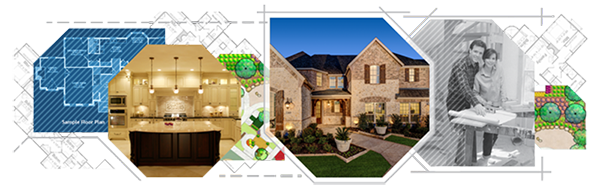
Interactive Features
Visit the following links for a comprehensive list of all of the interactive features of CAD Pro with different uses.
- Home Design
- Home Blueprints
- Kitchen Remodeling
- Master Bathrooms
- Deck Design
- Landscape Design
- Deck Blueprints
- Floor Plans
- Interior Layouts
- Office Design
- Home Office Software
- Commercial Blueprints
- Invention Drawings
- Patent Drawings
- Mechanical Drawings
- Electrical Drawings
- Plumbing Layouts
- Do It Yourself Plans
Pop-Up Image Tool
- Insert your mobile device digital photos or scanned images.
- No limit to the number of digital photos or scanned images.
- Print your designs with only the selected digital photos or scanned images.
Benefits:
These interactive features allow anyone to quickly visualize your ideas with real-world photos or images.
Provides everyone with a true visualization of what you want your designs to look like.
“Post it” Pop-Up Note Tool
- No limit to the number of pop-up notes you may include in your designs.
- Assign a unique color to each pop-up note for instant identification and access to specific ideas and comments.
- Quickly place pop-up notes directly on the relevant discussion area of your design.
- Pop-Up notes help in eliminating any potential miscommunication of your designs.
Benefits:
Everyone has their say using this interactive features. When sent through email or in an enterprise environment. The “pop-up” notes are directly placed on the relevant areas.
Pop-Up Sound Tool
- No limit to the number of speaker icons you can incorporate in your designs.
- Allows you to play back any .wav file you may have.
- Easily record your ideas or comments…in your own voice!
Benefits:
Real voice or sound audio is an excellent way to add a personal touch to your designs. When using the “pop-up” sound tool your presentations have a much more personal touch to them.
CAD Pro has helped thousands of homeowners, professional designers, builders, and contractors plan and design all types of floor plans. CAD Pro is used by NARI professional remodelers and contractors and the NRCA roofing contractors. CAD Pro is also used by NHBA home builders and contractors as well as the NALP National Association of Landscape Professionals.
Cad Pro is also great for creating net-zero floor plans, commercial floor plans, building floor plans, facility plans, construction details, restaurant drawings and much more.