
Full Networking Support
CAD Pro offers full support for your networking needs small or large. CAD Pro is unprecedented with its full support of Windows networking features for home or business.
Computer networking refers to interconnected computing devices that can exchange data and share resources with each other. These networked devices use a system of rules, called communications protocols, to transmit information over physical or wireless technologies.
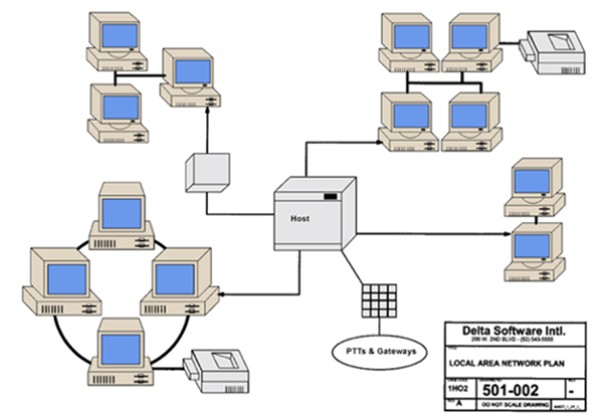
Networking Support
Optimized for Windows Explorer
To open a CAD Pro file, all you have to do is simply double click on the desired file. CAD Pro files can also be click-and-dragged on to the CAD Pro program icon for automatic opening of files. You can quickly print your files without having to launch the program, simply click-and-drag any CAD Pro file(s) on top of your printer icon for fast and simple printing.
Optimized for Windows fast user switching
The advanced optimized features allow multiple user log-on sessions while running CAD Pro at the same time.
Power of “Restricted User”
The power of “Restricted User” friendly access gives direct file access to personal “My Documents” folders for each individual user. This feature offers easy read only access to any restricted area that your administrator has established within your company or home network environment.
File Locking
Complete support for network file locking, allowing browsing of “in use” files. Use the advanced File/Re-open feature to monitor saved changes made to another user’s work in progress.
CAD Pro has helped thousands of homeowners, professional designers, builders, and contractors plan and design all types of floor plans. CAD Pro is used by NARI professional remodelers and contractors and the NRCA roofing contractors. CAD Pro is also used by NHBA home builders and contractors as well as the NALP National Association of Landscape Professionals.
Cad Pro is also great for creating net-zero floor plans, commercial floor plans, building floor plans, facility plans, construction details, restaurant drawings and much more.